
As an Amazon Associate I earn from qualifying purchases and sometimes recommend products from other sellers at no extra cost you. For more details see my disclosure policy and privacy policy.
Whether you’re planning a long trip or simply want to maximize your gaming sessions, getting the most out of your Nintendo Switch battery is crucial for any player. With the right settings and habits, you can significantly extend your playing time and maintain your battery’s health for years to come.
Understanding Power Consumption
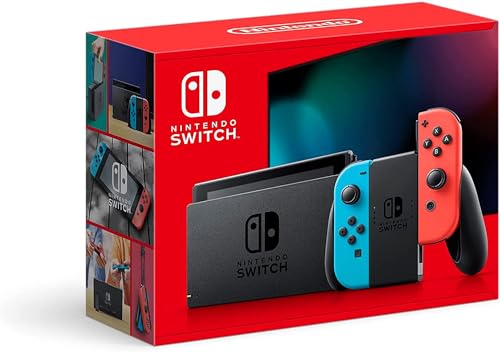
The power consumption of your Nintendo Switch varies dramatically depending on the types of games you play and how you use your console. Open-world games and graphics-intensive titles like The Legend of Zelda: Breath of the Wild are among the most demanding, using approximately 8.5W of power and typically providing only 2-3 hours of battery life. These games utilize complex physics engines and render vast environments, requiring significant processing power that impacts battery performance.
In contrast, many of the titles featured in our Best Indie Games on Nintendo Switch guide offer a more battery-friendly gaming experience. These games typically consume between 5.0-6.0W, allowing for 4-5 hours of playtime on a single charge. The moderate power consumption comes from their optimized graphics and simpler game mechanics, proving that engaging gameplay doesn’t always require intensive processing power.
For the most battery-efficient gaming experience, consider exploring visual novels or classic 2D games, many of which can be found in our Best Games Under $30 on Switch collection. These games use as little as 3.5-4.0W, extending your battery life to 6-7 hours. The reduced power consumption comes from their streamlined graphics and minimal system requirements, making them perfect for long trips or situations where charging isn’t readily available.
Chill Place Gaming Store
Take your game further 🎮
Reference sheets, printable guides, and gaming goodies — made by the Chill Place Gaming team to help you play smarter.
Secure checkout
powered by Shopify
Advanced Troubleshooting Guide
Battery issues can be frustrating, but most problems have straightforward solutions when you know what to look for. Start by checking your battery health through the System Settings menu. A healthy Switch battery should maintain its charge effectively through 300-800 cycles, though performance may gradually decrease over time.
If you notice your battery draining unusually quickly, the first step is to verify whether the issue lies with the system or the battery itself. Begin by monitoring your charging indicator behavior and testing different charging cables and adapters to rule out charging equipment problems. Many users find that what appears to be a battery issue is actually related to a faulty charging setup.
Inconsistent battery readings can often be resolved through a complete power cycle. This process involves letting your Switch drain completely before charging it back to 100% without interruption. For the most accurate calibration, use your console until it reaches 20% battery life, then fully recharge it. This process helps reset the battery indicator and can provide more accurate readings.
System-related battery drain often stems from background processes that aren’t immediately apparent. Take time to check for background downloads in the Nintendo eShop, and review any suspended software that might be running. Users who have followed our How to Organize Games on Nintendo Switch guide often find that proper game management can significantly impact battery performance.
Temperature management plays a crucial role in battery health and performance. Your Switch operates best between 20-25°C (68-77°F). When gaming in warmer environments, you might notice sudden performance drops or unusually warm console surfaces. These are clear indicators that your system is working harder than necessary, which directly impacts battery life.
Optimal Charging Practices
The way you charge your Switch can significantly impact its long-term battery health. Instead of waiting for your battery to drain completely, aim to keep your charge level between 20% and 80%. Short, frequent charging sessions are actually better for your battery than long charging cycles that reach 100%.
The official Nintendo Switch charger provides 39W power delivery, which is optimal for maintaining battery health. While third-party chargers can work, they should provide a minimum of 18W Power Delivery (PD) to charge effectively. For gaming sessions where you plan to play titles from our Two-Player Nintendo Switch Games collection, consider using the dock, as it provides the most stable charging environment.
When it comes to portable charging, power banks have become an essential accessory for Switch owners. Look for PD-compliant power banks rated at 10000mAh or higher to ensure you have enough capacity for multiple charges. This is particularly important when playing more demanding games from our Nintendo Switch Games with the Best Storylines guide, which tend to use more power.
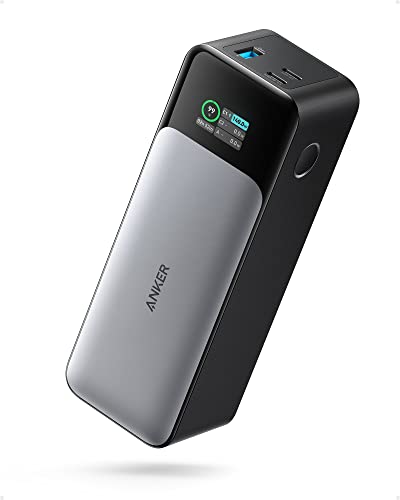
Long-term battery care requires a balanced approach. While you should avoid frequent full discharges, performing one full charge cycle monthly helps maintain battery calibration. If you plan to store your Switch for an extended period, charge it to around 50% to maintain battery health. Keep in mind that battery capacity naturally decreases over time, and you might want to consider replacement if it drops below 70% of its original capacity.
Expert Tips for Specific Scenarios
When Traveling:
- Pre-download games
- Pack a high-capacity power bank (20000mAh recommended)
- Consider lower-intensity games for longer flights
- Use airplane mode effectively
For Extended Gaming Sessions:
- Take 15-minute breaks every 2 hours
- Alternate between demanding and light games
- Monitor temperature during marathon sessions
- Keep your Switch organized and updated following our comprehensive organization guide
Conclusion
By implementing these tips and being mindful of your gaming habits, you can significantly extend your Nintendo Switch’s battery life. Remember that battery care is an ongoing process – regular maintenance and good habits will ensure your Switch remains ready for gaming wherever you go.
Whether you’re diving into epic adventures or enjoying casual games, these battery-saving techniques will help you make the most of your gaming sessions. For more Nintendo Switch tips and recommendations, explore our other guides and reviews to enhance your gaming experience.


